Typing test on GitHub
By Stroke Quill editorial team Current release, published August 15, 2023
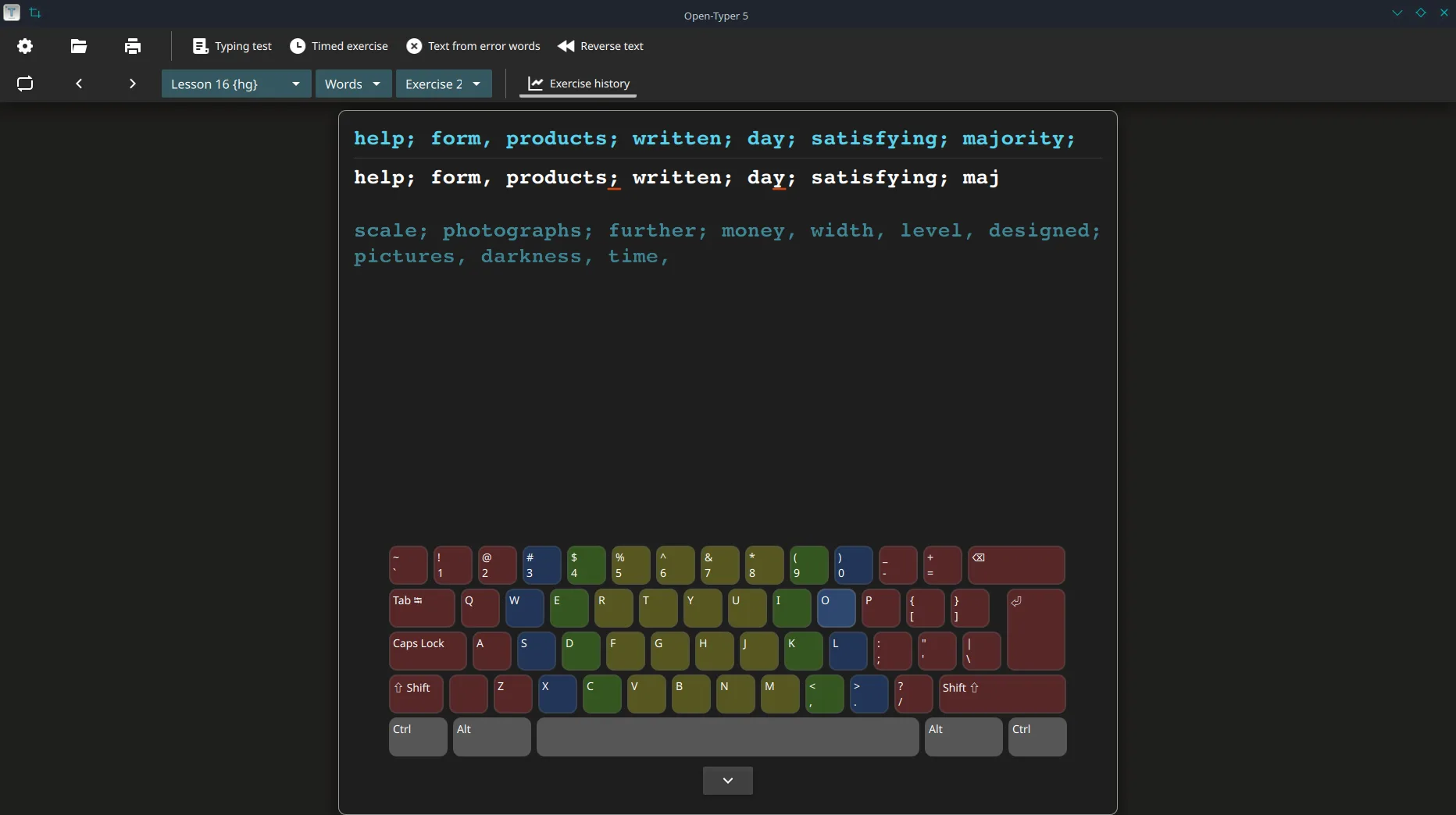
The Open-Typer typing test is developed in public on GitHub. Source, issues, and Releases live at Open-Typer/Open-Typer under the GPL-3.0 licence.
Repo URL: https://github.com/Open-Typer/Open-Typer. Homepage play: open-typer.github.io.
What to open first
Start with Releases when you want a binary. Start with the README when you want feature lists such as boards, keyboard layouts, timed exercises, and timed drills. Start with LICENSE when you need the GPL-3.0 text.
- Releases for installer, DMG, AppImage, and .deb assets
- README for feature claims and browser play link
- Issues for upstream bugs, not for this install guide
Licence
Open-Typer ships under GPL-3.0. That covers the client source and the project’s stated freedom to use, copy, and modify under the licence terms. Read the LICENSE file in the repo before you redistribute builds.
Stars and trust signals
Star counts change over time and are shown live from the fetch step on this guide. Stars are not a safety proof. Prefer matching asset names on Releases over third-party mirrors that only rank for typing test.
Security contact
Use the repository security tab for upstream reports. Stroke Quill does not host binaries and does not accept vulnerability reports for Open-Typer itself.
How this guide relates
This site is an independent install map for people searching for typing test. It is not the upstream project page. Download safely: download safe. Asset names: releases.
Monorepo notes
Every reviewed tag for this path is the app. There is no separate desktop monorepo prefix required for fetch. Keep reading the live asset list before you image a lab.
Stroke Quill maps filenames for people who searched for a local typing test and need an GPL-3.0 Open-Typer path. Upstream remains at open-typer.github.io and Open-Typer/Open-Typer under GPL-3.0.
- Keep one installer door forever on each machine ticket.
- Prove one short local lesson after every reimage.
- Ask for the GitHub Releases URL instead of vague “best download” links.
Why filenames beat portals
People searching for typing test often land on advertising pages that wrap a browser game or a renamed installer. Those pages can change overnight, hide the real filename, and ship toolbars beside the setup you thought you chose.
- Prefer
Open-Typer-installer.exeon Windows from Open-Typer/Open-Typer Releases - Prefer the aarch64 DMG or amd64 deb on the same tag when those desks matter
- Refuse Softonic-style mirrors that hide the filename
No winget package id was found on this review date. Inventing one would send shared labs to the wrong typing test product.
Repeatable lab rhythm
Club machines, classroom images, and family PCs all benefit from the same boring checklist. Write the OS version beside the asset name. Prove one short typing test clear after every reimage.
- Match the GitHub filename character for character.
- Launch Open-Typer and prove a local lesson.
- Document the update door on the machine ticket.
Travel bags should separate browser bookmarks from desk installer files so a hurried restore never grabs the wrong binary. Shared tickets should say whether the room standard is deb or AppImage on Linux.
Closing discipline
Ask for the GitHub Releases URL whenever someone pastes a vague “best download” link into chat. Match characters in the filename. Prove a clear. Document the update door for this typing test.
Asset checklist before imaging
Before you image a lab for typing test, confirm the live Releases tag still lists the Windows primary installer together with the Linux and macOS builds you need. Prefer one tag for every desk in the room so support tickets stay short.
- Windows:
Open-Typer-installer.exe - macOS Apple silicon:
Open-Typer.dmg - Linux:
open-typer_*_jammy_amd64.debor AppImage or snap
Snap and AppImage help Linux desks, yet they do not replace the desk installer when you rebuild a shared typing test image.
Support ticket lines that work
Write three lines on the machine ticket: OS version, exact asset filename, and the date you proved a local lesson. That record beats another Softonic search when SmartScreen returns next month.
- Record the GitHub Releases URL you typed.
- Record the filename character for character.
- Record “cleared one board” with the date.
Family PCs and classroom images both benefit from that boring typing test paperwork. It keeps the next bump on the same honest door without inventing a winget id that was not found.